실전 · CH06
미니 프로젝트: 11월 매출 리포트
지금까지의 부품을 한 파일에 묶습니다. 에이전트는 도구로 숫자를 모아 MonthlyReport 모양으로 답하고, 코드는 그것으로 마크다운 파일을 만든 뒤 숫자를 원본과 대조합니다.
1. 전체 코드
06_project.ts
// 미니 프로젝트: 11월 매출 리포트 에이전트 (도구 + 구조화 출력 + 파일 저장 + 검증)
import { writeFileSync } from 'node:fs';
import { ToolLoopAgent, Output, isStepCount } from 'ai';
import { google } from '@ai-sdk/google';
import { z } from 'zod';
import { getRevenue, getTarget } from './tools.ts';
import { revenueBy } from './salesData.ts';

const MonthlyReport = z.object({
  month: z.string(),
  branches: z.array(z.object({
    branch: z.string(), revenue: z.number().int(), target: z.number().int(),
  })),
  bestProduct: z.string(),
  summary: z.string(),
});

const agent = new ToolLoopAgent({
  model: google('gemini-flash-lite-latest'),
  instructions:
    '너는 팝콘상사 매출 리포트 담당이야. 숫자와 상품 이름은 도구 결과만 쓰고 추정하지 않는다.',
  tools: { getRevenue, getTarget },
  output: Output.object({ schema: MonthlyReport }),
  stopWhen: isStepCount(12),
});

const { output: report, steps } = await agent.generate({ prompt: '2026년 11월 매출 리포트를 만들어 줘.' });

const lines = [
  `# ${report.month} 매출 리포트`, '', '| 지점 | 매출 | 목표 | 달성률 |', '|---|---:|---:|---:|',
  ...report.branches.map((b) => // 달성률은 코드가 계산합니다
    `| ${b.branch} | ${b.revenue.toLocaleString()} | ${b.target.toLocaleString()} | ${b.target ? ((b.revenue / b.target) * 100).toFixed(1) + '%' : '-'} |`),
  '', `- 가장 많이 팔린 상품: ${report.bestProduct}`, `- 요약: ${report.summary}`,
];
writeFileSync('report_2026-11.md', lines.join('\n'));
console.log(lines.join('\n'), `\n\n(단계 ${steps.length}개)`);

// 검증: 에이전트가 쓴 숫자를 원본 계산과 대조합니다
const truth = revenueBy('branch', '2026-11');
for (const b of report.branches) {
  const real = truth[b.branch];
  if (real === undefined) console.log(`검증 ${b.branch}: 없는 지점 이름`);
  else console.log(`검증 ${b.branch}:`, real === b.revenue ? 'OK' : `다름(원본 ${real.toLocaleString()})`);
}
const best = Object.keys(revenueBy('product', '2026-11'))[0]; // 원본에서 11월 매출 1위 상품
console.log('검증 1위 상품:', report.bestProduct === best ? 'OK' : `다름(원본 ${best})`);
const missing = Object.keys(truth).filter((k) => !report.branches.some((b) => b.branch === k));
if (missing.length) console.log('검증: 리포트에 빠진 지점', missing);- 에이전트는 데이터만 만듭니다(
MonthlyReport: 지점별 매출·목표, 1위 상품, 요약). 달성률 계산과 파일 모양(표, 줄바꿈)은 코드가 정합니다. 숫자 계산을 모델에게 맡기면 틀릴 수 있기 때문입니다. isStepCount(12)— 지점 셋의 목표 조회까지 넉넉히 둡니다.- 검증 —
revenueBy('branch', '2026-11')를 직접 불러 리포트 숫자와 비교하고, 없는 지점 이름이나 빠진 지점도 알려 줍니다.
2. 실행합니다
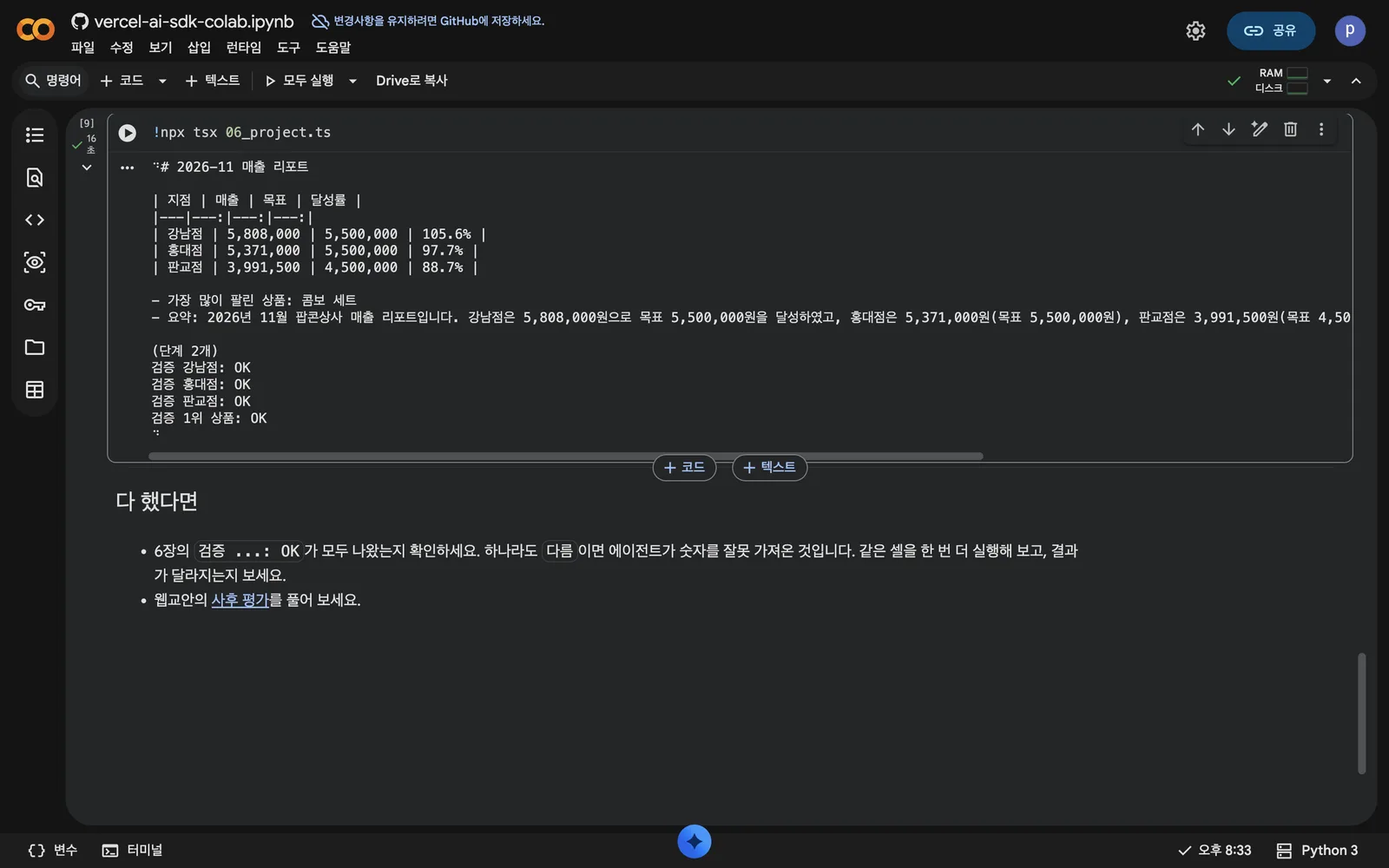
npx tsx 06_project.ts
cat report_2026-11.md
# 2026-11 매출 리포트
| 지점 | 매출 | 목표 | 달성률 |
|---|---:|---:|---:|
| 강남점 | 5,808,000 | 5,500,000 | 105.6% |
| ... |
- 가장 많이 팔린 상품: 콤보 세트
- 요약: ...
(단계 ...개)
검증 강남점: OK
검증 홍대점: OK
검증 판교점: OK
검증 1위 상품: OK
3. 정답표
검증 네 줄이 모두 OK여야 합니다. 11월 1위 상품은 콤보 세트(7,404,000원)입니다.
| 지점 | 11월 매출 | 11월 목표 | 달성률 |
|---|---|---|---|
| 강남점 | 5,808,000 | 5,500,000 | 105.6% |
| 홍대점 | 5,371,000 | 5,500,000 | 97.7% |
| 판교점 | 3,991,500 | 4,500,000 | 88.7% |
스스로 점검
이것만 기억하세요
에이전트는 Output.object로 데이터를 만들고, 파일과 검증은 코드가 맡습니다. 스키마가 맞아도 숫자는 원본과 대조합니다.